
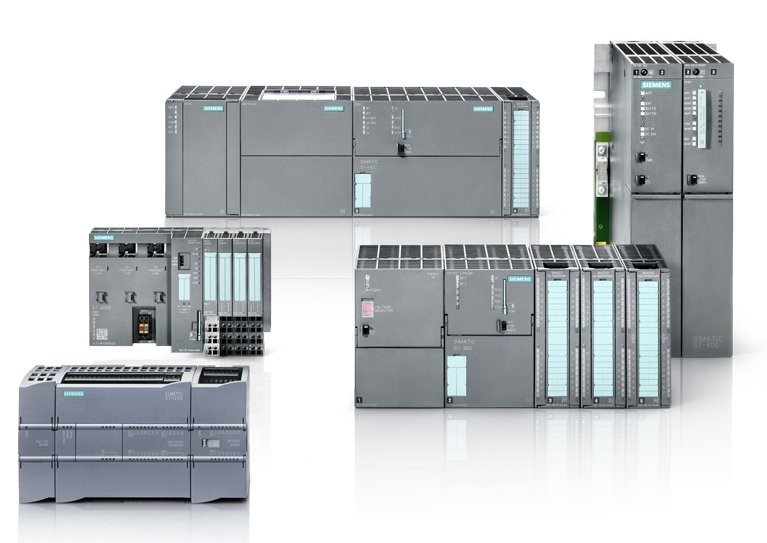
Backing up your Siemens S7-300 or S7-400 PLC program is a critical step in ensuring the safety and reliability of your automation system. A proper backup not only protects you from unexpected hardware failures but also makes troubleshooting and restoring systems much easier. Below is a clear, step-by-step guide to creating a reliable backup.
Why Backup Matters
-
Avoid downtime: A recent program copy speeds up recovery in case of a failure.
-
Track changes: Backups provide a version history for troubleshooting.
-
Compliance & safety: Many industries require up-to-date PLC backups.
Tools You’ll Need
-
Programming Software: Siemens SIMATIC STEP 7 (Classic)
-
PG/PC (Programming Device or Computer) with MPI, Profibus, or Ethernet connection
-
Appropriate Connection Cable (MPI/Profibus adapter or Ethernet cable, depending on setup)
-
Sufficient Storage Space on your PC or a secure server
Step-by-Step Backup Procedure
1. Connect to the PLC
-
Launch SIMATIC Manager.
-
Select Options → Set PG/PC Interface and choose the correct interface (MPI, Profibus, or TCP/IP).
-
Connect your PG/PC to the CPU.
2. Upload the Program from PLC
-
In SIMATIC Manager, go to File → New and create a project.
-
With the project open, click PLC → Upload Station to PG.
-
Select the connected PLC and confirm.
-
The program (including blocks, hardware configuration, and system data) will be uploaded into your project.
3. Verify the Upload
-
Open Blocks and Hardware Configuration to confirm that data has been transferred successfully.
-
If the PLC uses passwords, ensure you have them before uploading.
4. Save and Archive the Backup
-
Go to File → Archive to compress your project into a single
.zip(or.zap) file. -
Save it in a secure location (network drive, backup server, or version-controlled storage).
-
Include the date and PLC identification in the filename for easy tracking.
Best Practices
-
Maintain multiple versions: Keep a history of backups to track changes.
-
Document your backups: Note PLC type, firmware version, and network settings.
-
Automate reminders: Schedule periodic backups (e.g., monthly or after major updates).
-
Test restoration: Occasionally load a backup into a spare PLC or simulator to ensure it works.